
Evil Crawling Things Lobby Locations
Find Bob, practice with a gun, or check your rewards before the next round of Evil Crawling Things. The lobby’s signs and left sidebar lead to different places.
Find Bob beside the central glass enclosure marked DO NOT TAP THE GLASS. The Firing Range is next to the Daily Spin terminal, and DONATE is beside TOP DONORS. Use DAILY in the left sidebar for login rewards and MISSIONS for daily objectives and claims.
Use the central enclosure as a landmark
When INTERMISSION is counting down at the top of the screen, look for the spider-like Crawler behind glass in the middle of the lobby. The yellow DO NOT TAP THE GLASS sign marks the enclosure, and Bob stands nearby. For the practice area, look for the FIRING RANGE sign. The colorful Daily Spin wheel and its terminal are next to that entrance.
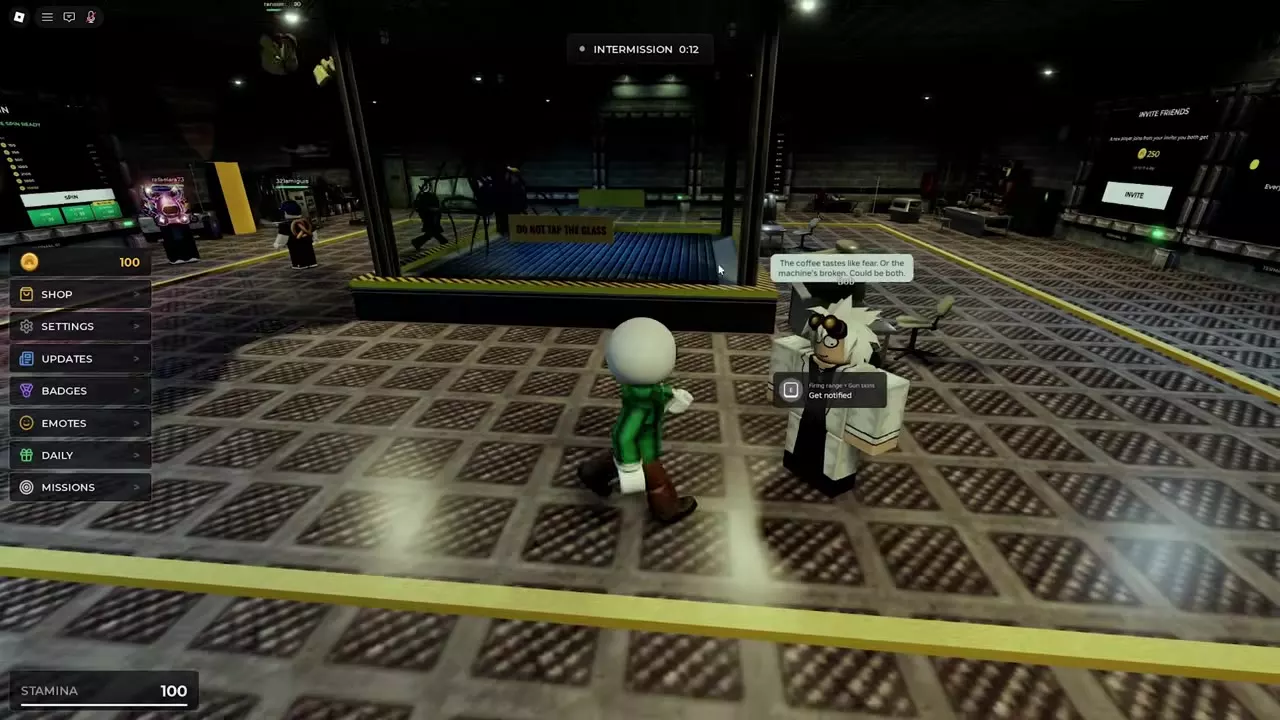
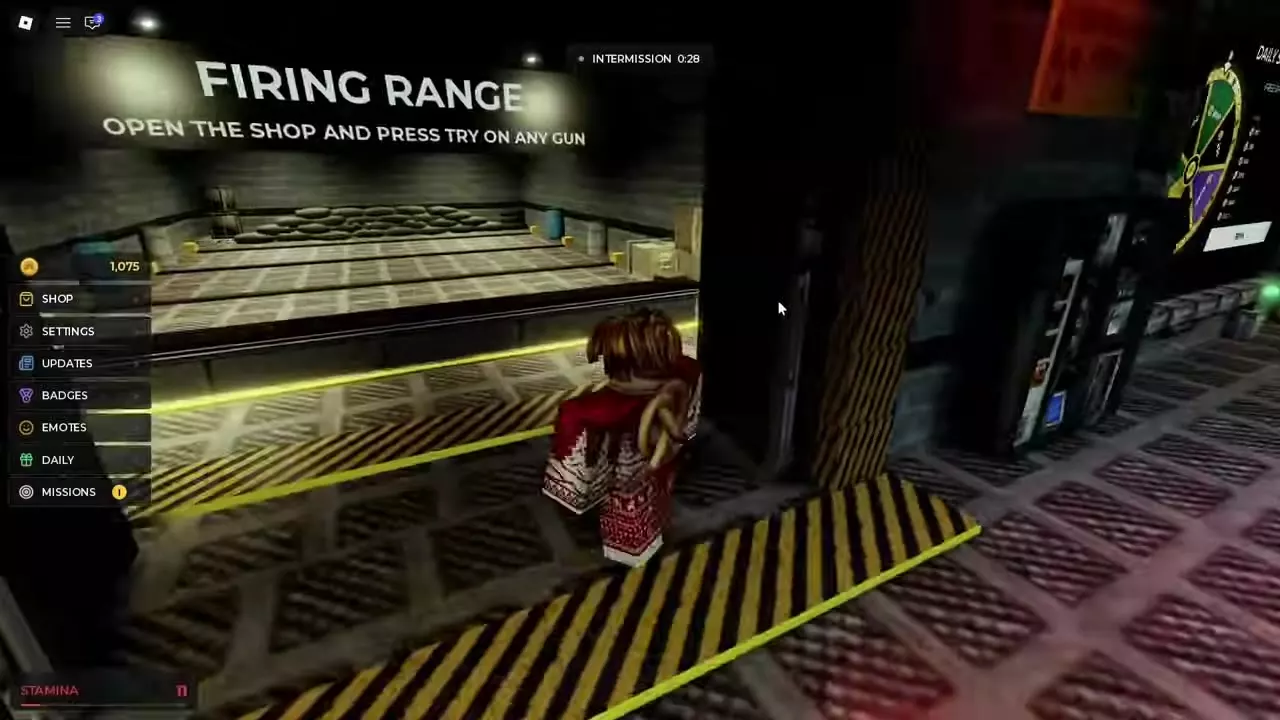
Lobby facility directory
Walk up to Bob during intermission to read the dialogue above his head. At the DONATE panel, choose one of the green Robux buttons beside TOP DONORS. If you’re deciding whether to buy a gun with a TRY option, use the Firing Range targets to get a feel for its firing and reload before spending Coins.
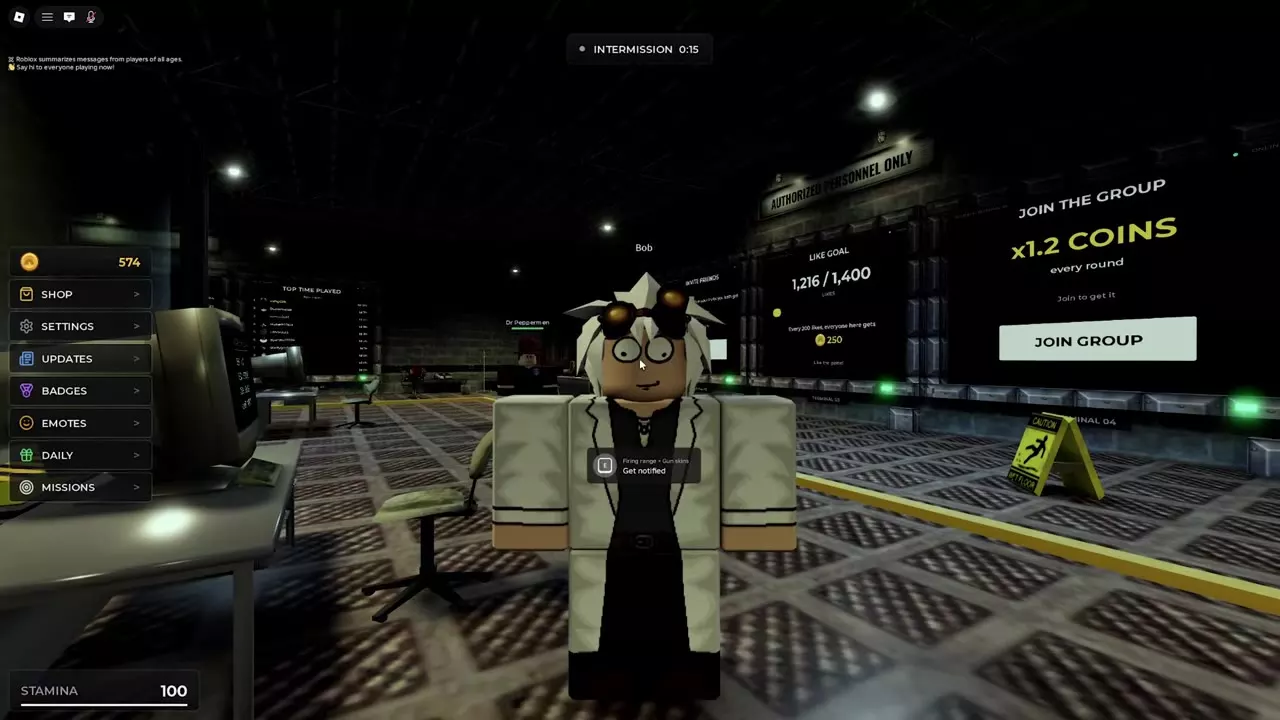
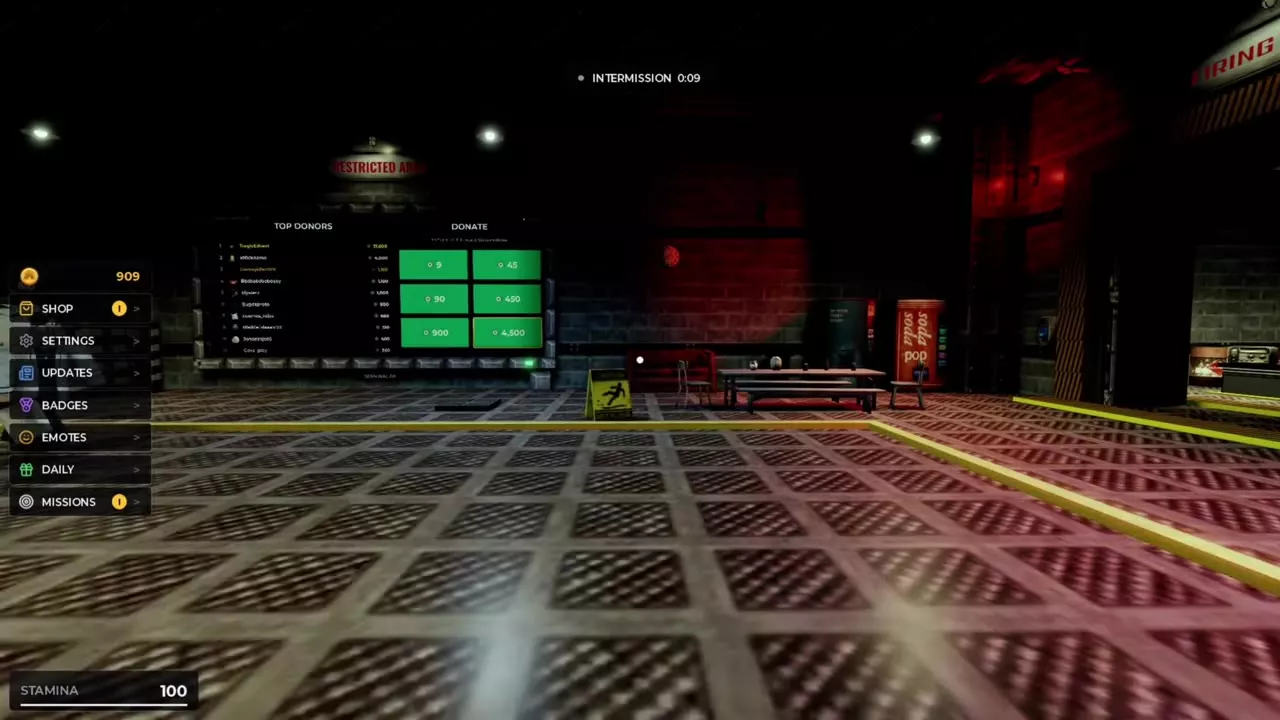
Find Bob, the donation panel and the Firing Range, then open their interaction details.
3 objects
|
|
Beside the central glass enclosure During intermission | — | — |
|---|---|---|---|
|
A lobby character in a white lab coat and goggles who stands near the central glass enclosure. His overhead dialogue covers the facility and its creatures.
TipsFind Bob in a white lab coat and goggles beside the central glass enclosure. Approach to read his overhead dialogue. When Get notified is active for Firing Range and Gun Skins, use the displayed E prompt. His Larry dialogue says the giant dislikes its name; other lines joke about fearful coffee and security cameras catching nothing. |
|||
|
|
— | — | 9 Robux |
|
A lobby panel with six Robux donation options. The TOP DONORS board is beside it.
TipsFind DONATE beside TOP DONORS. Its options are 9, 45, 90, 450, 900 and 4,500 Robux. |
|||
|
|
Lobby near Daily Spin | SHOP → GUNS → TRY | — |
|
A lobby shooting area where players can fire at targets and practice reloading. The gun shop's TRY button starts a gun trial. TipsFollow the FIRING RANGE sign near Daily Spin. Open SHOP → GUNS, select a gun and choose TRY to practice firing and reloading at the targets. |
|||
Sidebar menus and reward boards
Use the left sidebar to open these menus from anywhere in the lobby.
- SHOP opens the store. Select GUNS to browse gun prices and stats.
- SETTINGS opens controls and game settings, including audio, camera effects, and sprint behavior.
- BADGES shows badge requirements and progress.
- EMOTES opens the emote wheel.
- DAILY opens your login reward streak.
- MISSIONS shows daily objectives and rewards. A number beside MISSIONS can flag a completed objective with a reward ready to claim.
UPDATES is also in the sidebar. The game has a Mod Call button for moderator help.
Look for INVITE FRIENDS, LIKE GOAL, and JOIN THE GROUP on the lobby wall. Use INVITE to send a friend invite, read the next like milestone on LIKE GOAL, or use JOIN GROUP to get the group’s 1.2× round Coin boost. Each board has its own community reward conditions. TOP SURVIVALS and TOP TIME PLAYED track gameplay, while TOP DONORS is the leaderboard beside the donation panel.
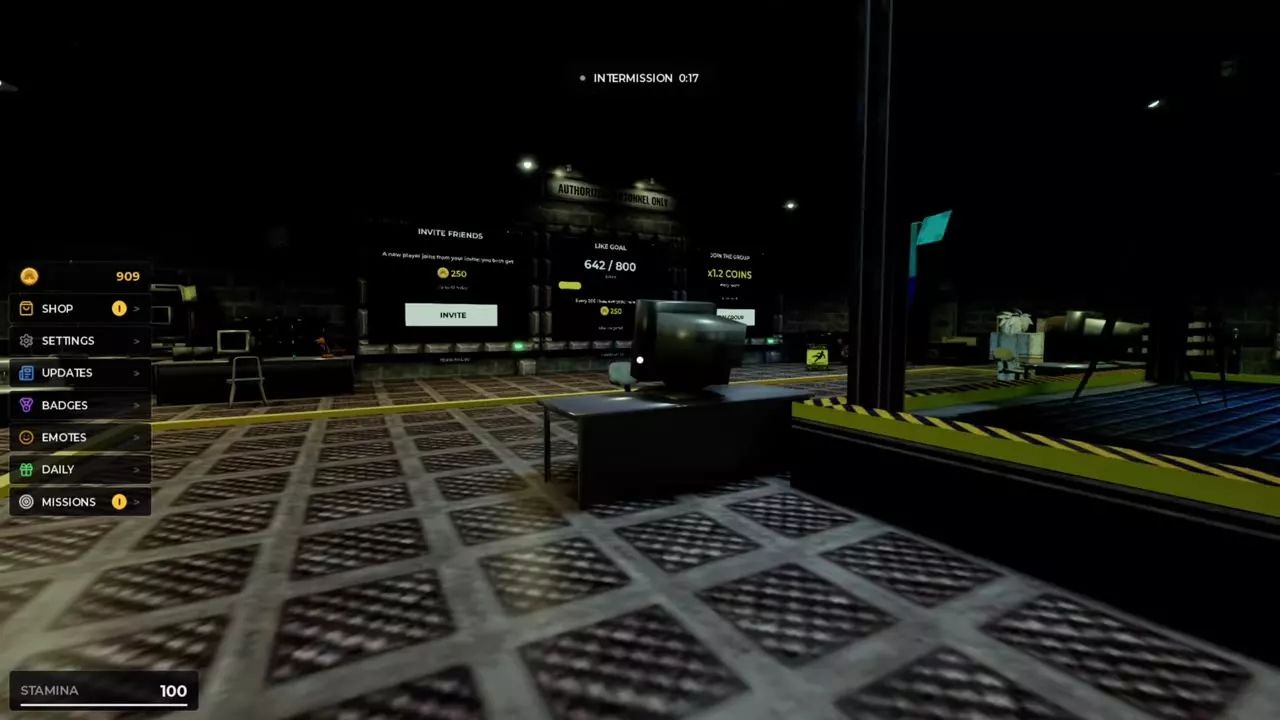
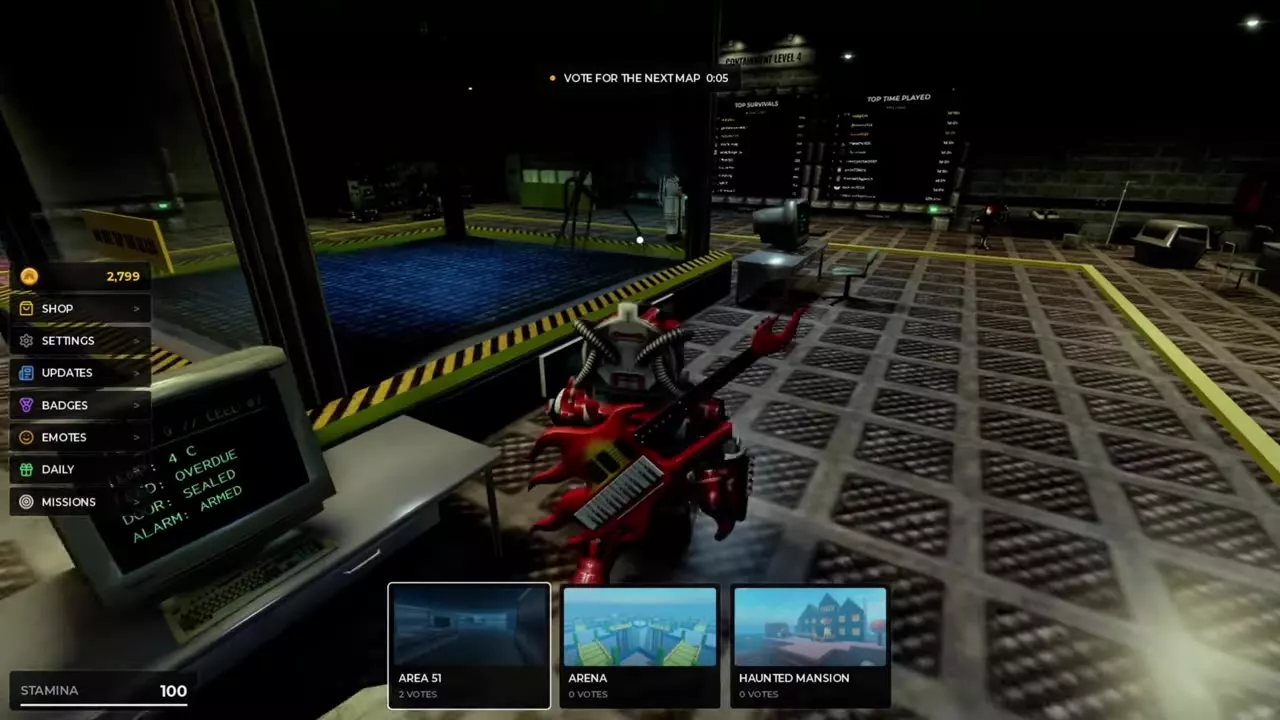
Between rounds and after elimination
- Vote for the next map. When INTERMISSION ends, VOTE FOR THE NEXT MAP appears at the top. Select one of the cards along the bottom before the timer ends. See the map directory and voting guide for the available locations.
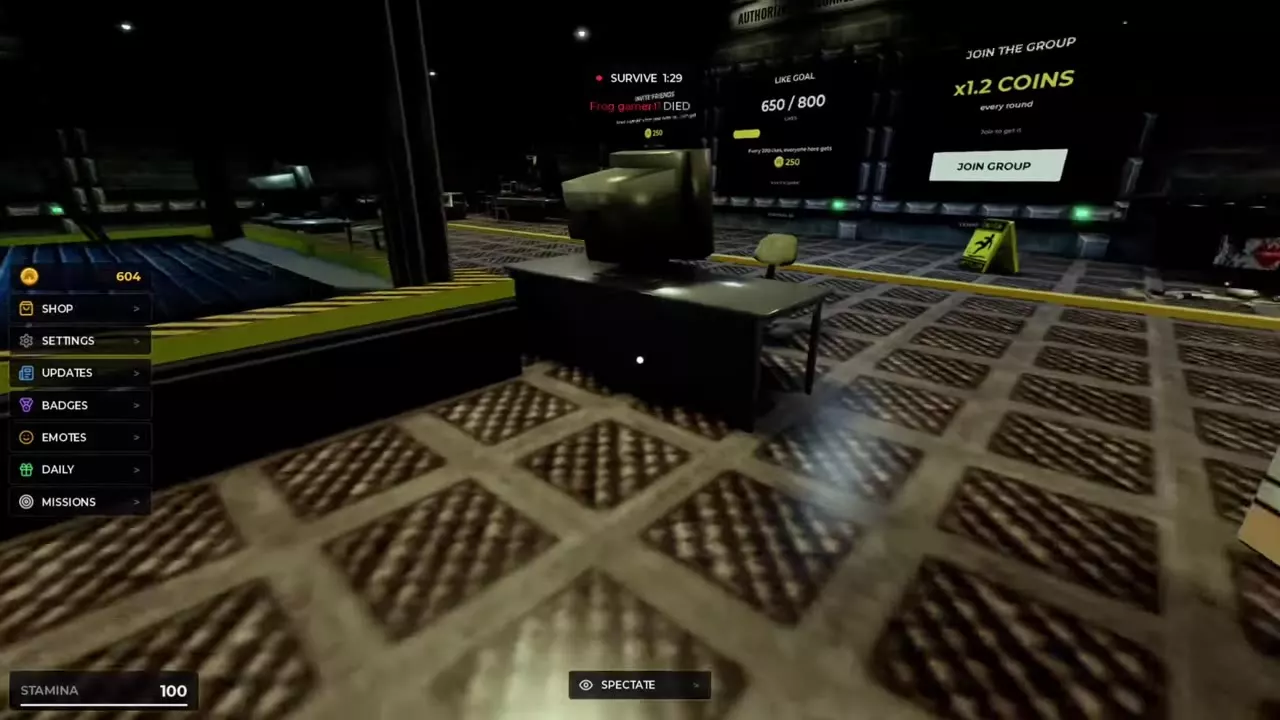
- Watch the current round. If you’re eliminated while the round is still running, select SPECTATE at the bottom of the lobby screen to watch the remaining players. The survival guide covers round results and spectating.
- Use the break to practice or spin. Go to the Firing Range to try guns and practice reloading, or stop at the adjacent wheel for your Daily Spin.
Articles and guides
3Evil Crawling Things Controls and Settings
Find Evil Crawling Things controls and controller prompts, mute music, adjust gameplay settings, reset keys, and use AFK mode.
Evil Crawling Things Badges and Requirements
Find all nine Evil Crawling Things badges, check survival milestones, and learn the requirements for Giant Slayer and Case Closed.
Evil Crawling Things Emotes and Prices
Compare six Evil Crawling Things emote prices from 500 to 3,000 Coins. Preview and buy an emote in the shop, then play it from the emote wheel.